
One workspace
Create videos and images inside one consistent workspace, so prompts, assets, and outputs stay connected from draft to final export.
Start with text, images, video, or audio—TopMaker AI helps you generate and refine in one place.
Access leading video and image models in a single workspace—choose a model when you need it, and keep your workflow moving.
Use the same idea across models to find the best result for your style and budget.


 4KNative generation

 Industry-leading


TopMaker AI brings leading AI video and image models into one focused AI Video Generator workspace. Start with your existing idea, compare models faster, and keep production momentum without rebuilding your workflow in different tools.

Create videos and images inside one consistent workspace, so prompts, assets, and outputs stay connected from draft to final export.
Test the same concept across multiple models in minutes, compare outputs side by side, and refine quickly without repeating setup work.
Choose confidently based on your goal, whether you prioritize visual quality, generation speed, or a tighter credit budget.
Turn one idea into multiple usable variants, keep creative momentum, and ship more content without switching tools mid-process.
Practical formats for real production workflows—built to help you ship content faster.

Authentic, handheld-style clips for social proof and product storytelling.
Best with: Image -> Video / Text -> Video

Create multiple ad variants fast: hooks, benefits, and CTA-ready formats.
Best with: Text -> Video / Image -> Video

Generate rhythmic, stylized visuals for tracks, promos, and lyric snippets.
Best with: Text -> Video / Video -> Video

Turn an idea into cinematic scenes with mood, pacing, and moments.
Best with: Text -> Video

Character-driven shots for explainers, reactions, and dialogue-style content.
Best with: Image -> Video / Video -> Video

Casual lifestyle clips with consistent tone and vibe.
Best with: Text -> Video / Video -> Video

Clean product visuals for landing pages, listings, and promos.
Best with: Text -> Image / Image -> Image / Image -> Video

Transform existing clips with new aesthetics, genres, and visual moods.
Best with: Video -> Video
Choose a workflow that matches what you have in this AI Video Generator platform. You can switch models anytime as you refine.
Turn a prompt, script, or storyboard into a video draft with a clear workflow. Choose a model for the look you want, generate a first pass, then refine pacing, motion, and style until it’s ready to publish.


15s cinematic, photoreal fight on a cherry-blossom street: Blue Girl vs Red Girl—fast cuts from standoff → close-ups → kicks/clashes with sparks → 360° spin → Blue POV as Red’s fan ignites → pullback freeze.
Animate a still image into motion while keeping the core look consistent. This image to video workflow starts from a keyframe, then lets you pick a model and motion style, and iterate on movement, camera feel, and details to get a clip that fits your edit.
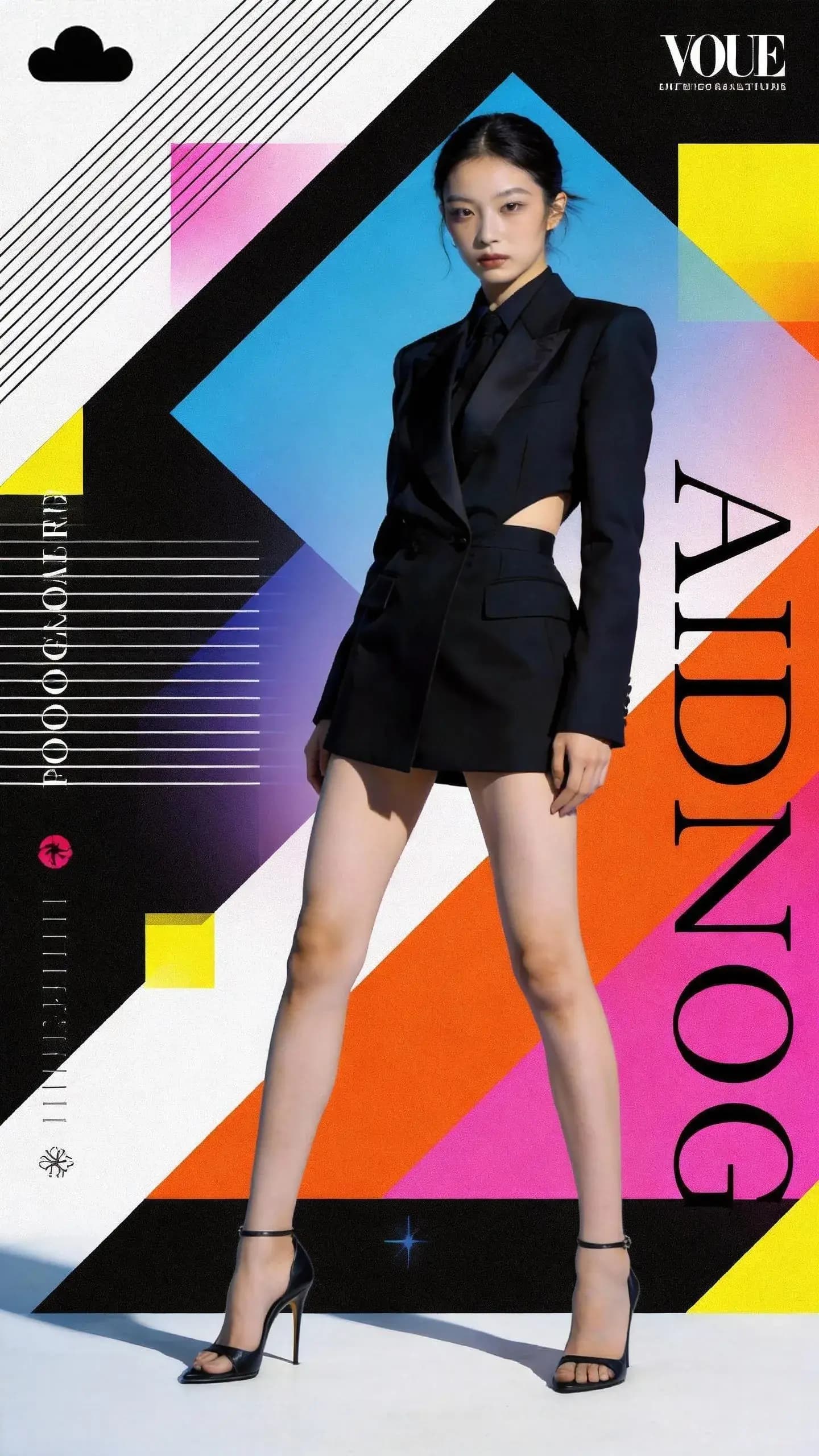
Prompt
Fashion poster video: the girl does a rapid “look-switch” montage, rotating through outfits that match the vibe of @Image1 and @Image2 with stylish jump cuts and seamless transitions. She keeps the @Image3 bag as the constant hero prop, and the edit rhythm/tempo follows the reference beats in @Video.

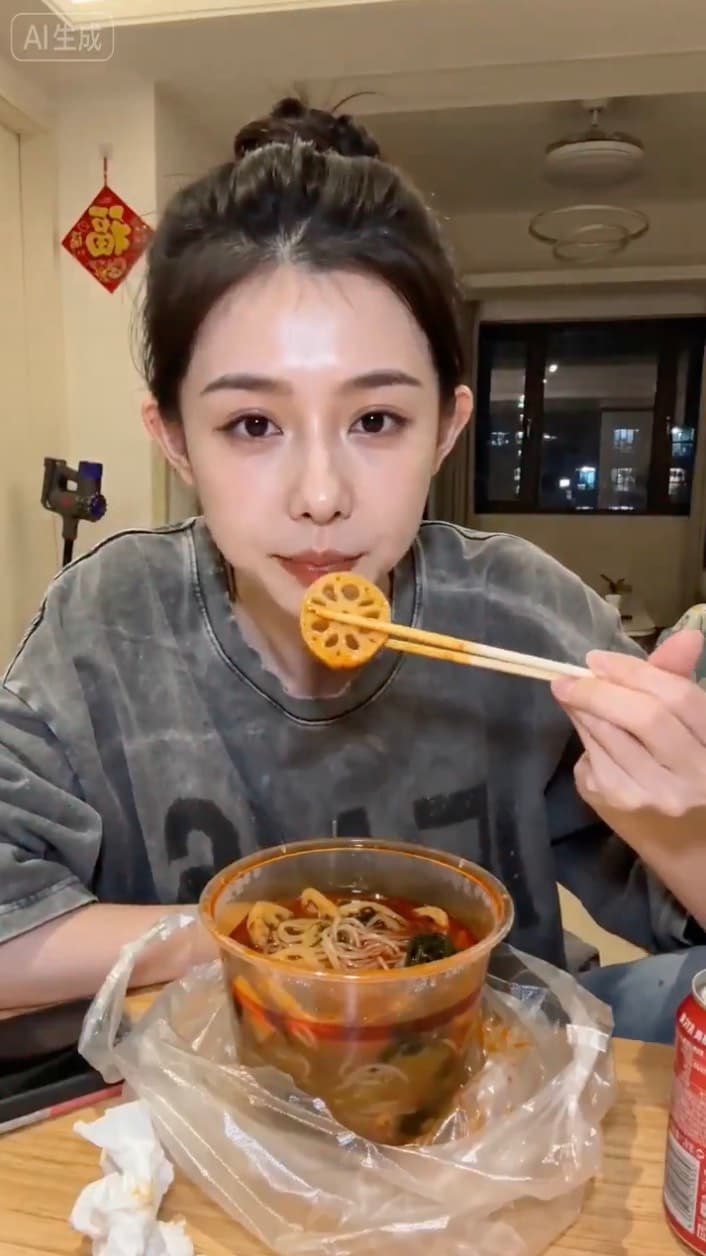
Prompt
9:16 vertical, 15s warm indoor lifestyle vlog from a slightly low phone-stand angle: a 20s girl from Image 1 in a rental room (messy table, steaming spicy hotpot, phone/tissues/cola), casually eats lotus root and glass noodles, wipes chili oil, laughs and points chopsticks at the camera, then keeps eating—natural, relaxed.

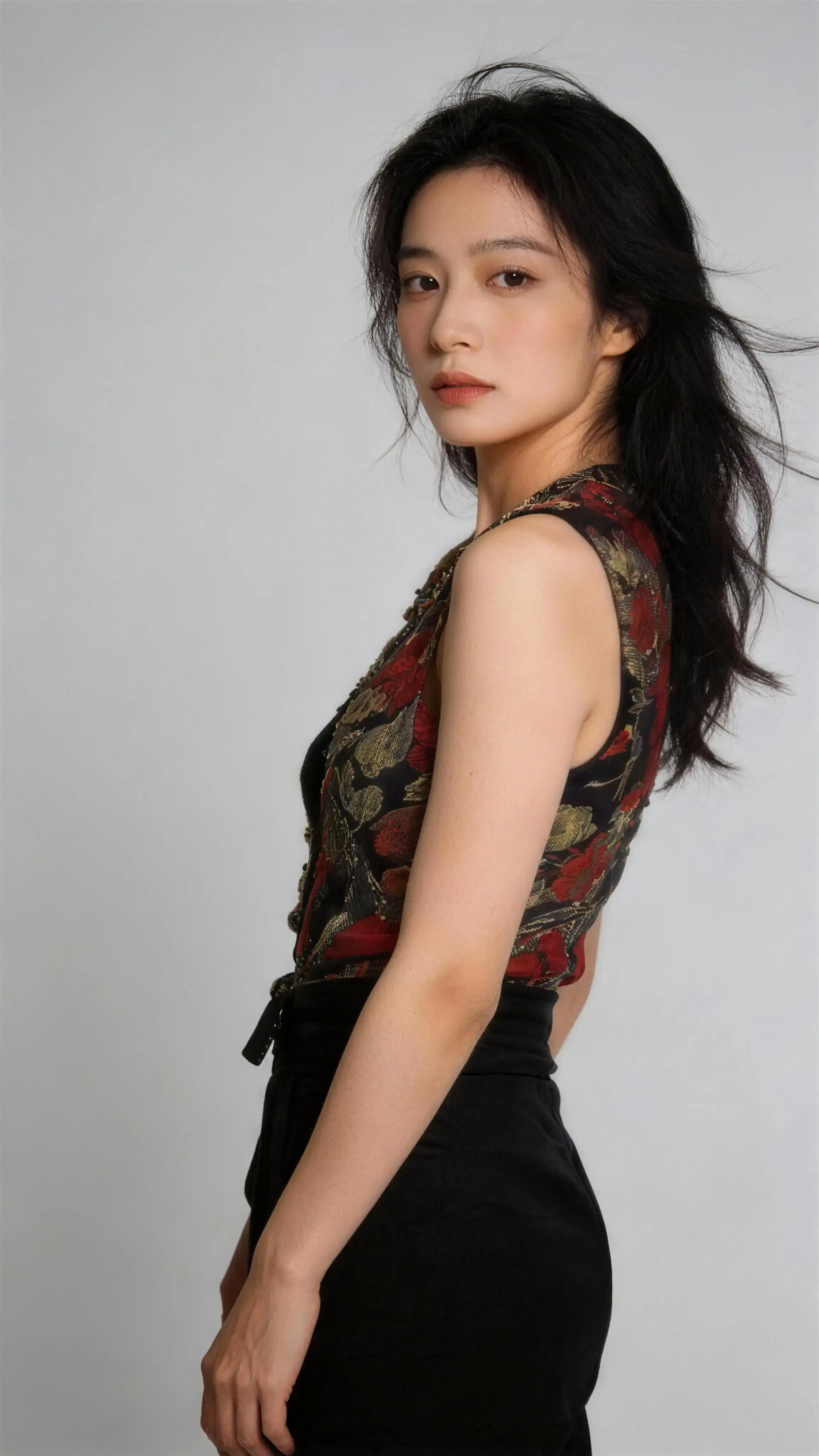
Prompt
Use the face from Image 1; shoot tight near-camera portraits as she cycles through outfits from Images 2–6, hitting five distinct vibes (playful, cool, cute, surprised, stylish) with rapid outfit-swap jump cuts. Fisheye perspective with energetic ghosting/flicker and psychedelic light streaks, matching a high-tempo music-video feel.

Transform an existing video into new looks and formats without rebuilding from scratch. Apply a different style, mood, or treatment, generate variants for different channels, and refine the best take until it matches your intent.


Prompt
"Replace Video 1’s female lead singer with the male singer from Image 1. Match Video 1’s performance exactly (timing/lip-sync/gestures), single continuous shot, band unchanged."


Prompt
"Extend the 15s donkey-motorcycle concept using @image1/@image2 as style/character references, with fast, cinematic momentum. Sequence: fence break-through in a side shot (chickens scatter) → sandy stunt beats (tire spray close-up, then a wider elevated/aerial view) → mountain-set jump finale with “Inspire Creativity, Enrich Life” revealed via a clean mask transition."


Prompt
"Create a spectacular night-sky duel between Character 1 and Character 2, matching Video 1 for character actions and Video 2 for an orbiting/360 camera move; white dust plumes rise with every impact. Intense, cinematic atmosphere—dramatic lighting, strong sense of scale and motion, no dull beats."
Create detail-rich images from a simple description. Use it for concepting, thumbnails, keyframes, and social posts—then carry the look forward into your video workflow.

Transform an existing image into new styles while keeping the essence intact. Generate clean, high-quality variations that match your direction—useful for consistent characters, products, and scenes.

A simple three-step AI Video Generator process: start with your input, choose a model, and iterate quickly until the output is ready to publish.
Start from text, an image, or a video.

Select the best fit for your goal.

Re-run with new prompts and settings.

See what creators around the world are saying about TopMaker AI as their AI Video Generator workspace
Performance Marketer (DTC)
"We turn one product brief into multiple ad variations without jumping between tools. The workflow→model→refine loop is simple, so we ship new creatives every week."
UGC Creator
"I start from a hook + a few references, generate a first draft, then iterate fast until it feels native for Reels. It's the quickest way I've found to get from idea to usable footage."
Indie Creator / Short Narratives
"TopMaker AI helps me keep a consistent look across scenes while I iterate. I can change the model or workflow without rebuilding the whole prompt every time."
Content Studio Producer
"For talking-character clips, the biggest win is control. I can iterate on the same setup and polish the result step-by-step instead of starting over with each change."
Travel Creator
"I use it to remix my raw clips into different styles for Shorts and Reels. The workspace makes it easy to try options and keep the best version moving forward."
Ecommerce Founder
"Product visuals used to be a bottleneck. Now we generate clean showcase clips from our images, then refine quickly for different platforms and placements."
Video Editor
"It feels like a production workspace, not a single generator. I can experiment with styles, keep what works, and iterate without breaking the whole project."
Social Media Manager (Startup)
"The biggest benefit is speed with structure. One place to draft, refine, and export versions for different channels without a messy handoff."

Creative Ops (Agency)
"TopMaker AI makes it easier to standardize how we produce content. Clear workflows, quick iterations, and fewer tool switches across the team."
Privacy-first defaults and clear policies—built for creators and teams.
Your generations aren't public unless you share them.
Use outputs under our terms for business projects.
Clear plans and straightforward cancellation.
Help with billing and generation issues when you need it.
TopMaker AI is an all-in-one AI image and video creation platform that helps creators generate, enhance, and automate visual content using AI-powered tools and the latest AI models like Seedance 2.0, Sora 2, Veo 3, Kling, and more.
TopMaker AI Video Generator turns your text, image, or video input into a draft clip using selected AI models. You can then refine motion, camera style, and visual details with follow-up prompts to get a production-ready result.
You can create short ads, social media clips, product demos, cinematic scenes, talking-character videos, and style variations from existing footage. TopMaker supports text-to-video, image-to-video, and video-to-video workflows in one place.
Free users get limited generations per month with standard quality. Paid plans unlock higher generation limits, premium AI models, 4K resolution, priority processing, and commercial usage rights.
Every generation uses credits based on model, quality, and duration. You can see the credit cost before generation and track usage in your account.
Yes. We take privacy seriously. Your uploads and generated content are encrypted and never shared. We don't use your content to train models without explicit consent. See our privacy policy for details.
Yes. Paid plans include full commercial usage rights for all generated content. You can use videos in ads, social media, client work, and products. Check our pricing page for plan details.
Most videos are generated within 30 seconds to 3 minutes, depending on the complexity, duration, and selected AI model. Premium plans have priority processing for faster generation.
Get started with free credits and your first workflow in a few clicks.